Current medication apps focus on reminders and refills, and don't work well when you're not the one taking the medication. This side project tackles the real problem: helping elderly users and their caregivers add, update, and reference medications accurately and easily.
Overview
The problem with existing medication apps
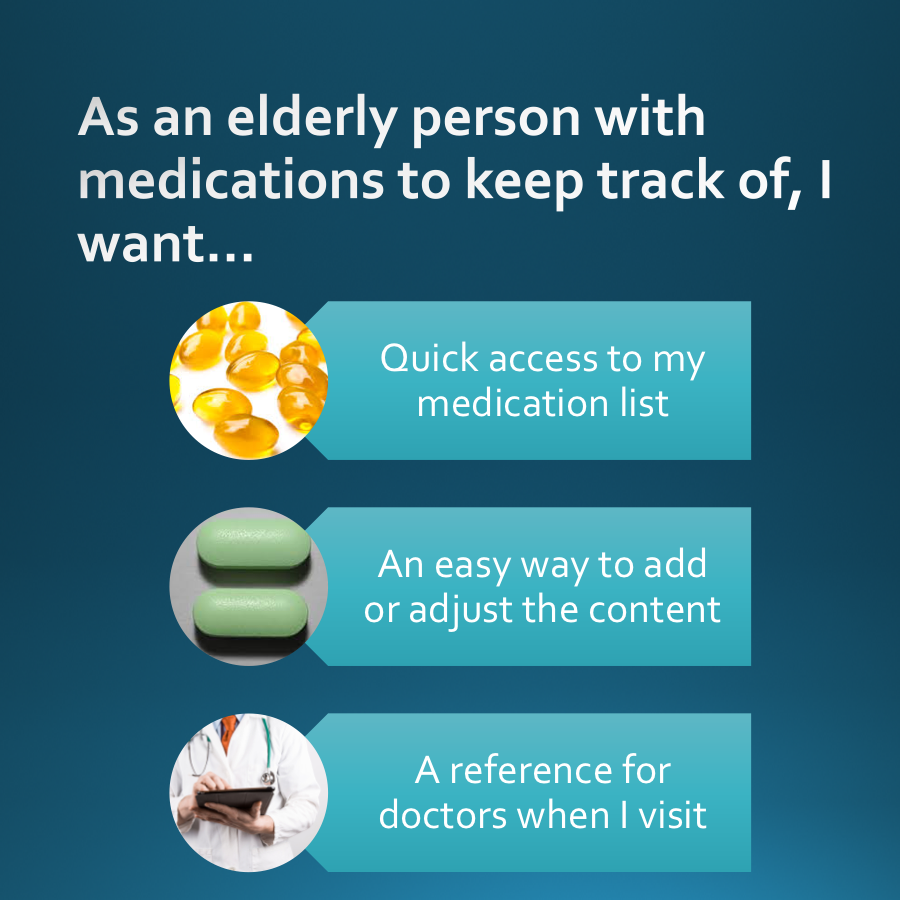
My parents have several different pills to take. Eyesight is poor, and keeping track of changing medications is tricky. I looked at the existing apps and found that they focus almost entirely on reminders and refills, with no real support for the caregiver scenario: what happens when you're not the one taking the medication?
This project is a from-scratch design exploration: user stories, requirements, workflows, wireframes, and a working prototype, built for elderly users and their caregivers, where clarity and trust aren't optional.
The gap in the market
"Existing medication apps are built for the person managing their own health. They fall apart when a family member or caregiver is doing the managing."
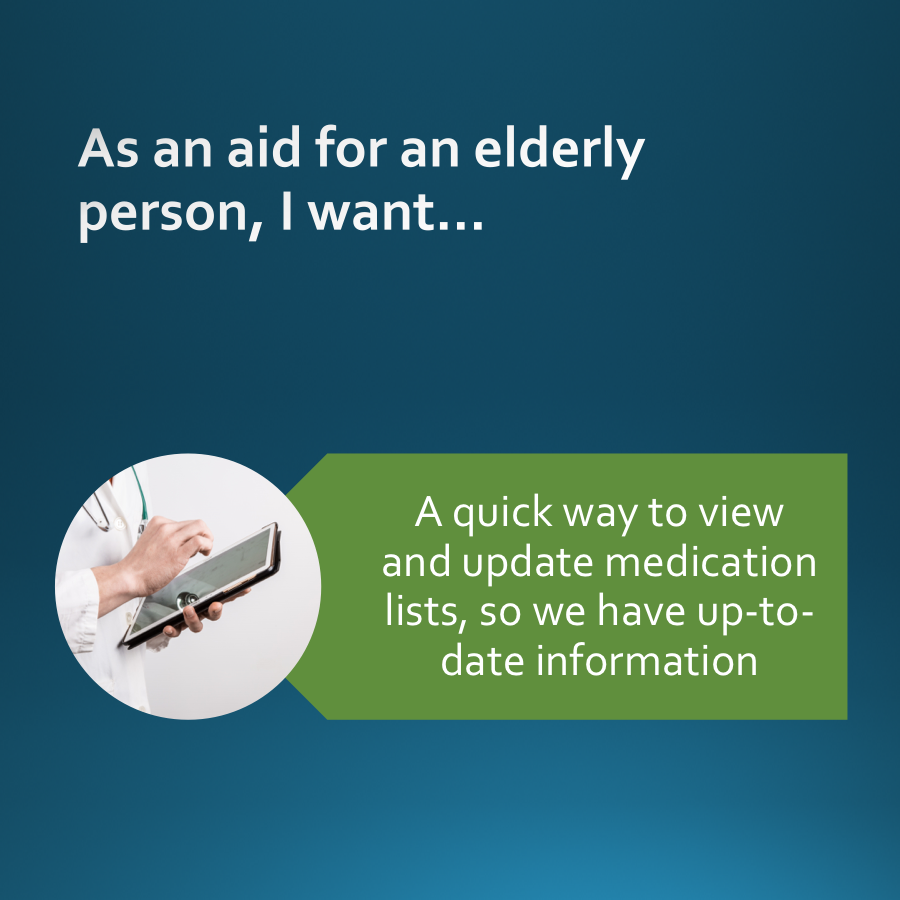
The design challenge: build an app that works equally well for an elderly user adding their own medications, and a caregiver managing medications for someone else.
User stories
Requirements
From stories to requirements
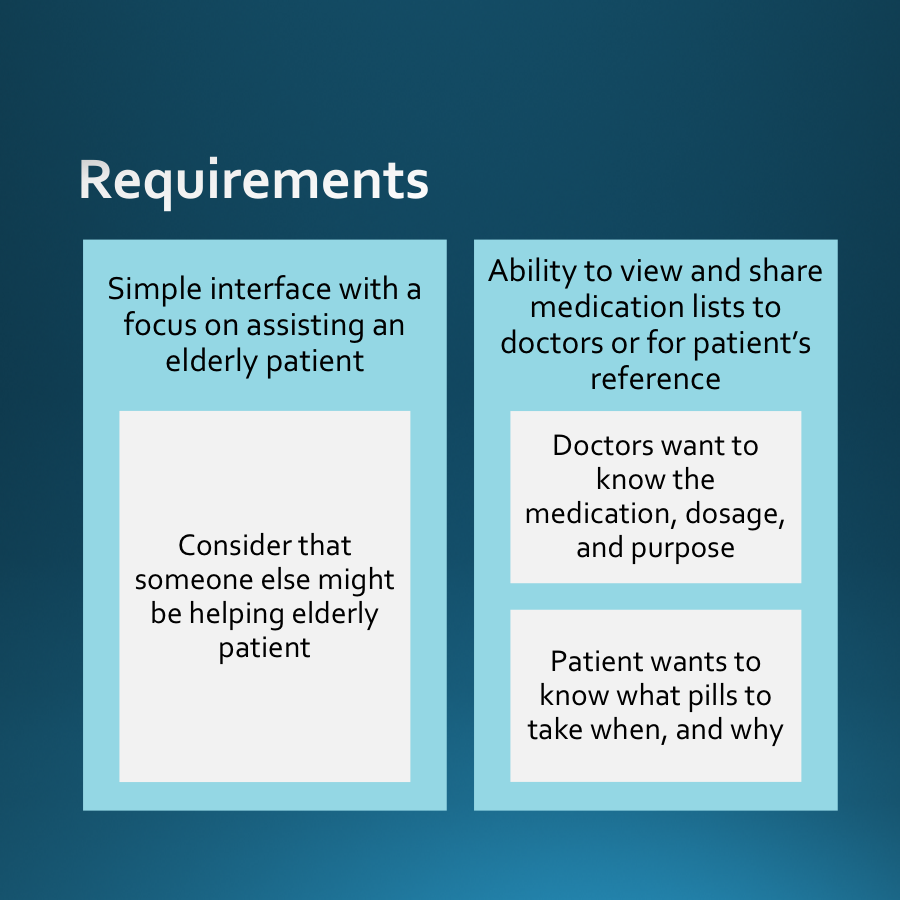
User stories were translated into a clear set of requirements before any design work began. For a special population (elderly users with potential vision impairment and varying technical comfort), getting the requirements right upfront was critical to avoid designing for the wrong problem.
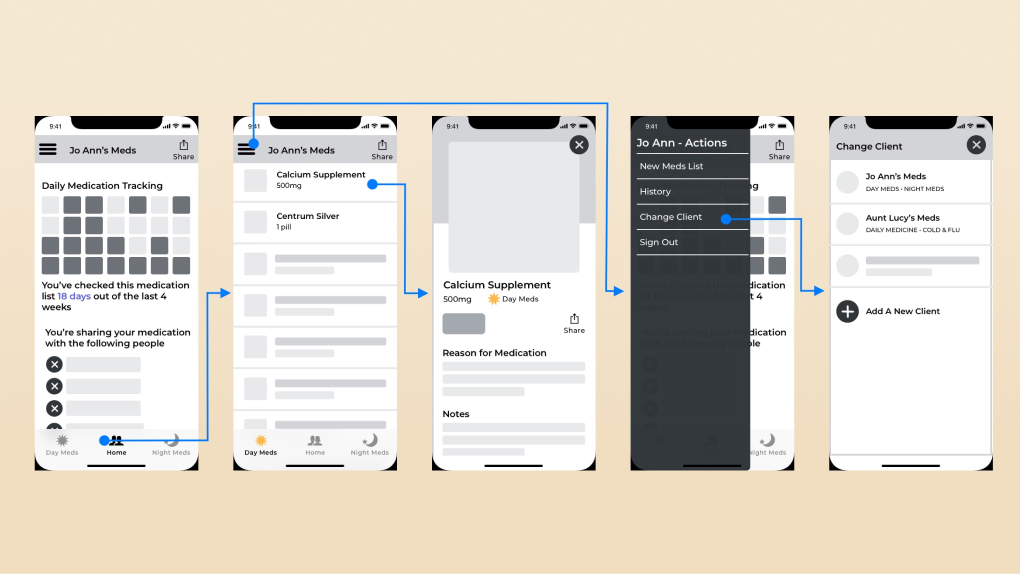
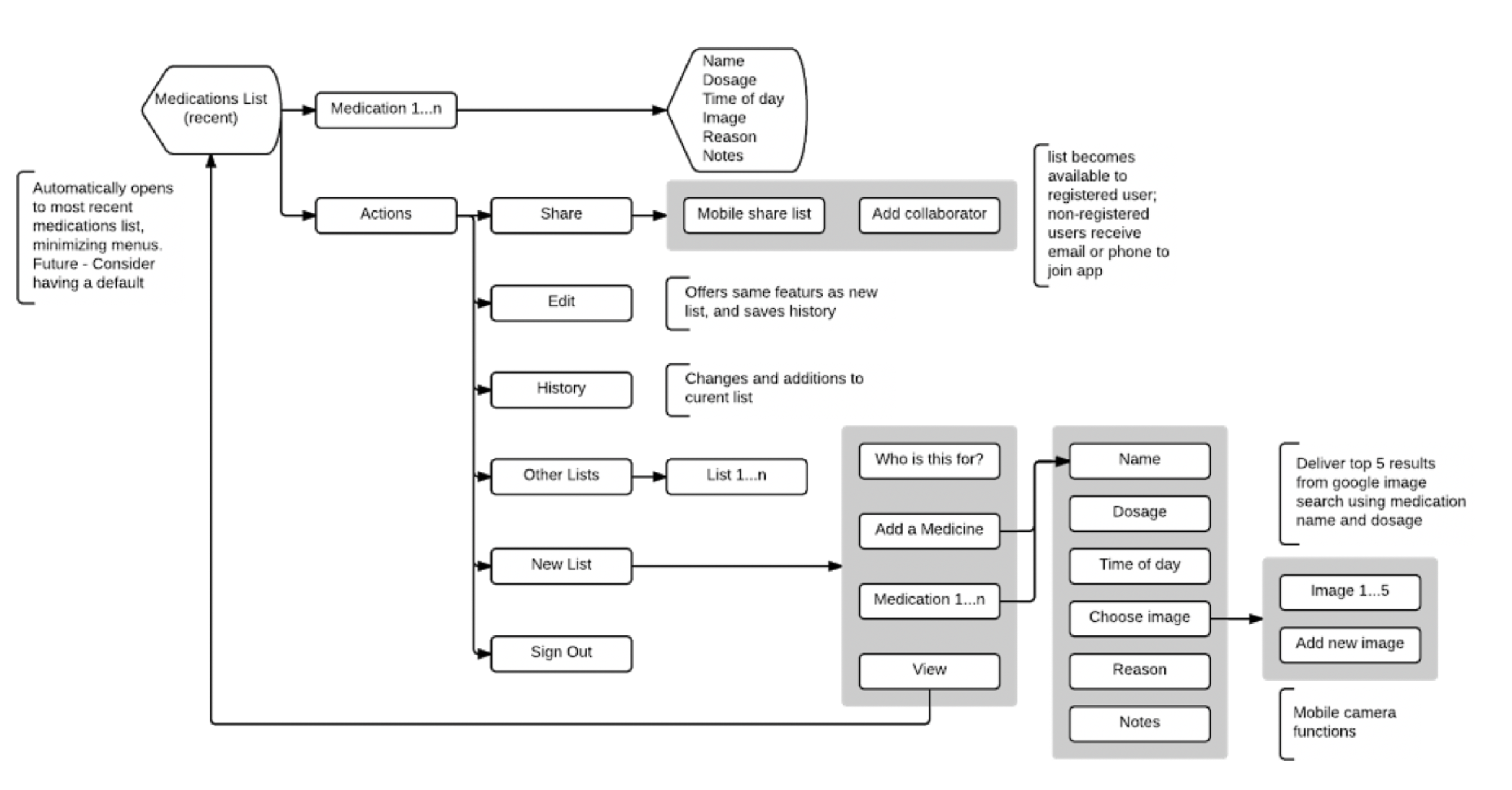
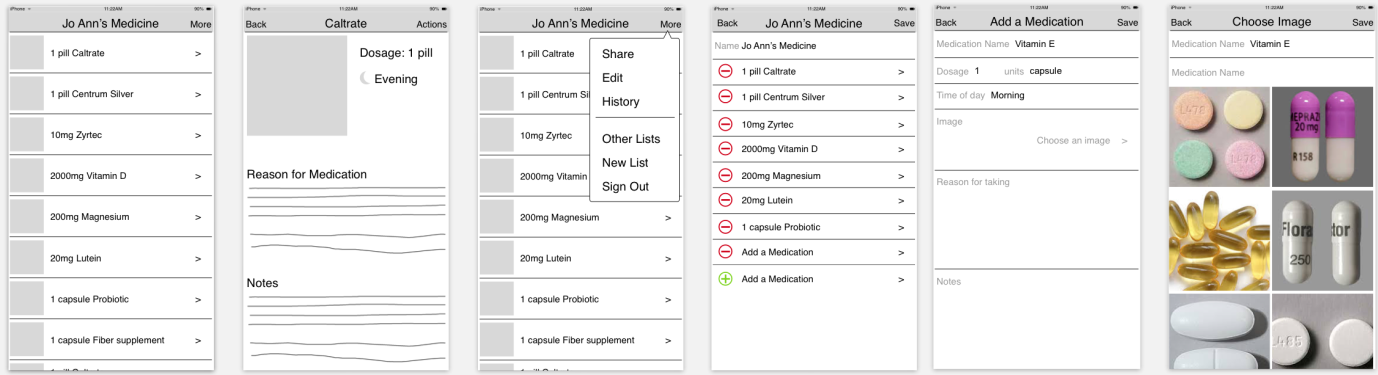
Key requirements included: large tap targets, minimal text entry, clear medication identification (by appearance, not just name), and caregiver account linking without sacrificing the primary user's privacy.
Workflow
Wireframes

Prototype
From wireframes to a working prototype
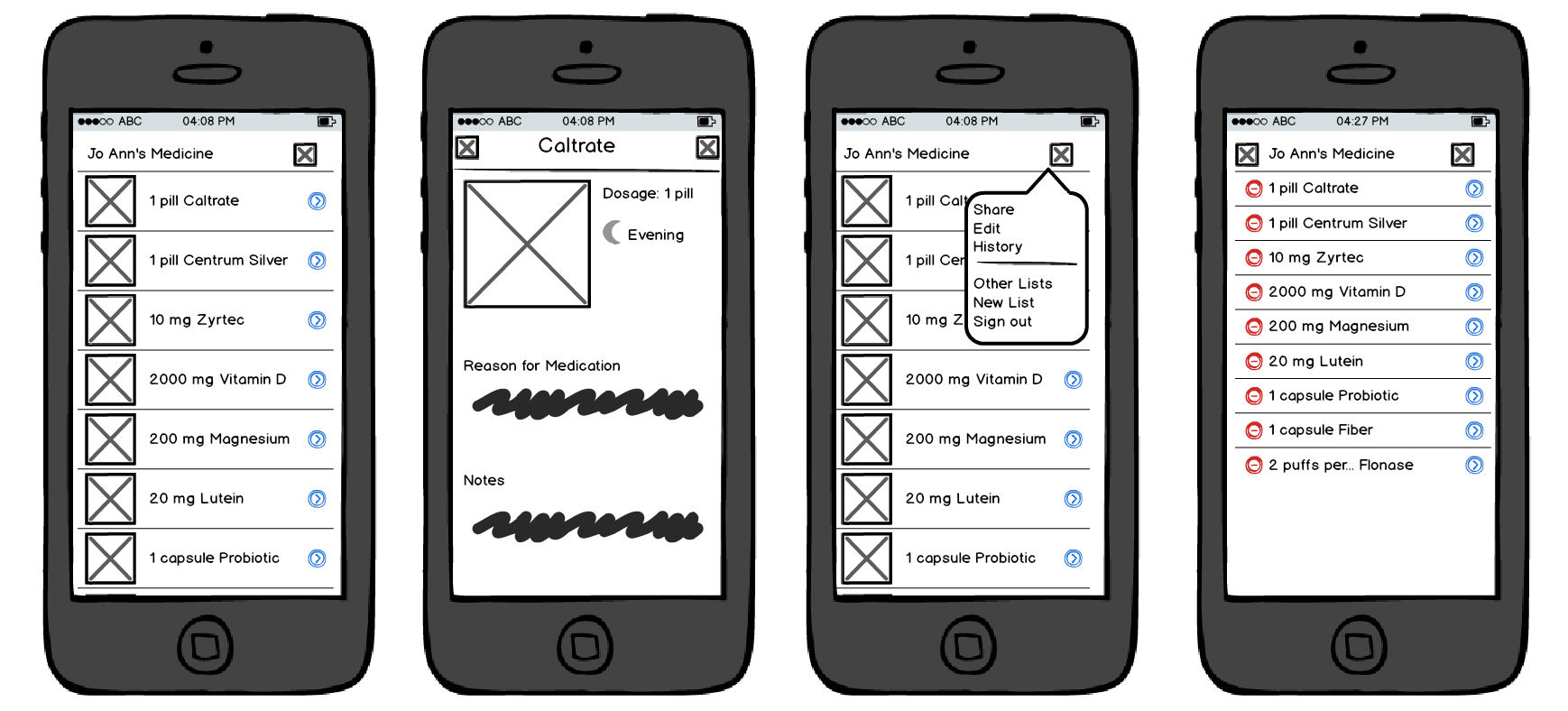
The wireframes were built into a working prototype in Marvel, then InVision, testable with real users at a level of fidelity that would surface real usability issues, not just aesthetic preferences.
For this population especially, prototype testing matters: elderly users interact with touch interfaces differently than younger users, and assumptions that work for a standard mobile user can completely fail for someone with limited dexterity or vision.
Final designs
Outcome
A complete process, start to finish.
2
Distinct user personas designed for: primary user and caregiver
0→✓
Full process: stories, requirements, workflow, wireframes, prototype
↑
Opportunity to continue with Claude Code: working app within reach
This remained a side project, but it's a complete one. The process went from personal observation through user stories, requirements, a full workflow, wireframes, and a testable prototype. The problem is real, the population is underserved, and the design foundation is solid.
Reflection
What I'd build next
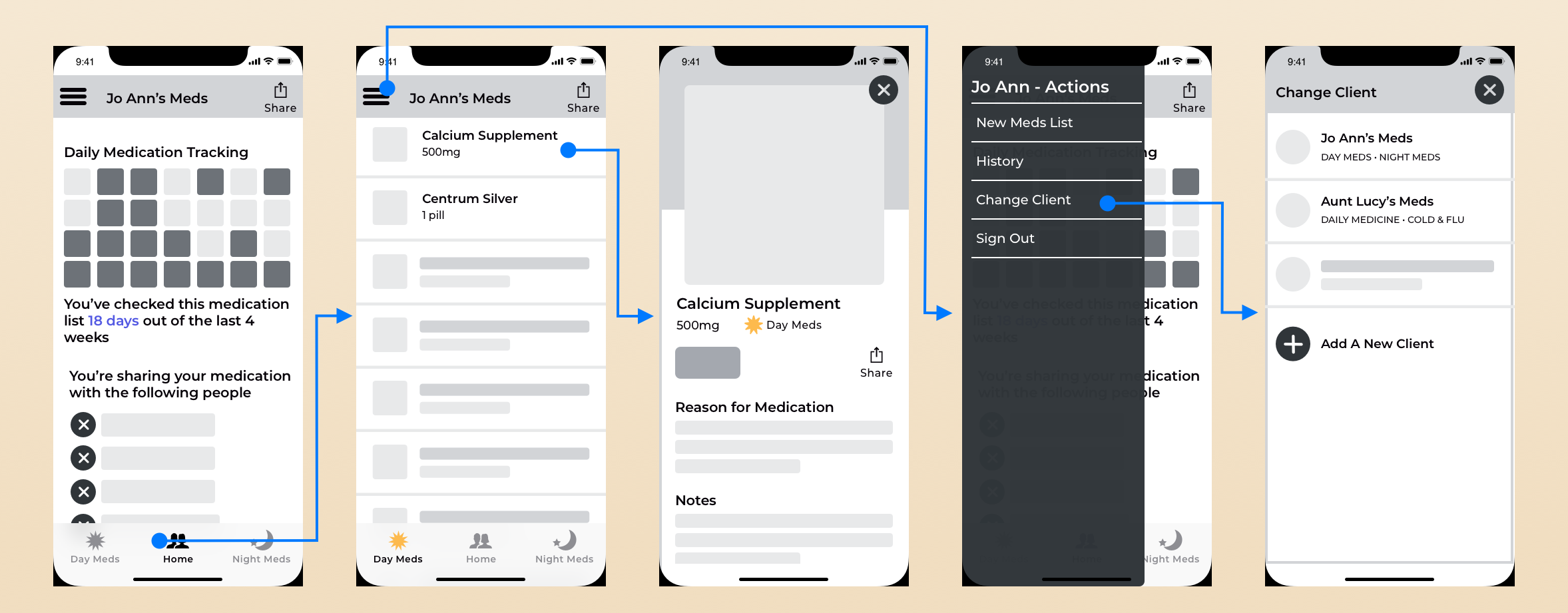
This is another project I'd love to revisit with Claude Code. The wireframes and prototype are far enough along that building a functional app from them is a realistic next step. The caregiver linking flow and the medication identification feature are the two interactions I'd most want to test with real users at higher fidelity.
Designing for special populations (elderly users, caregivers, people under cognitive or physical load) is where UX decisions have the most consequence. A confusing flow in a social app is annoying. A confusing flow in a medication app can cause real harm. That stakes-awareness is something I carry into every project.